Quantization Formats Compared for Local Inference
Different formats trade speed, memory, and quality depending on your hardware.
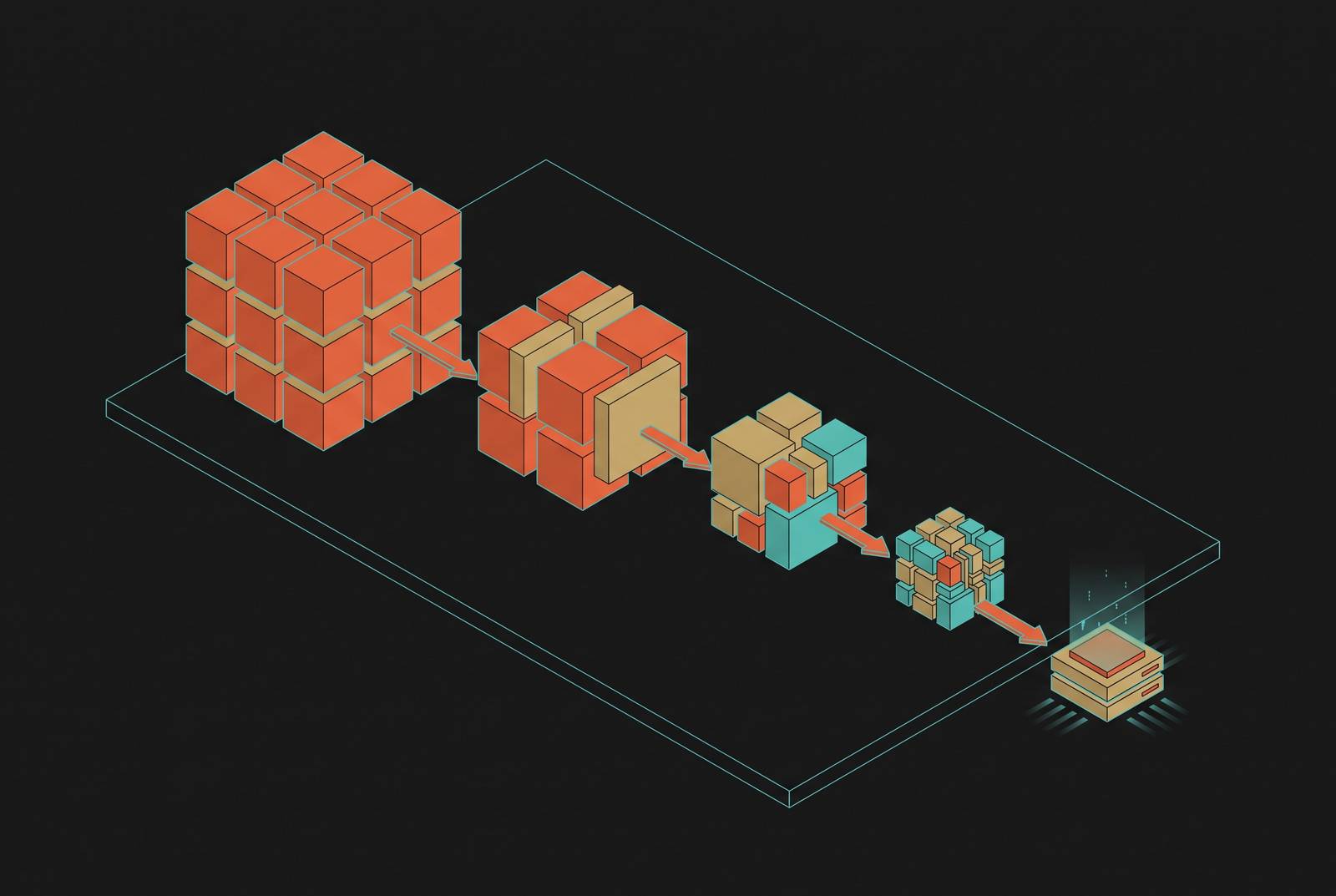
A 70B model in full FP16 needs about 140GB of VRAM. That's roughly $20,000 in H100 hardware before you've written a single line of inference code. Quantize that same model down to 4-bit, and it drops to somewhere around 35 to 40GB, small enough to fit on a single A100. Still too big for a 24GB RTX 4090, though: quantization closes the gap, but it doesn't close all of it, and picking the wrong format for your hardware still leaves you stuck.
So what does quantization actually do? It takes weights, and sometimes activations, and squeezes them from high-precision continuous values into lower-precision discrete buckets. Smaller files, faster generation, lower hardware bar to clear. W8A8 quantizes both weights and activations to INT8, giving you full integer math, and W4A16 only touches the weights. W8A8 quantizes both weights and activations to INT8, giving you full integer math. W4A16 only touches the weights, leaving activations at FP16, which eases the memory bottleneck and speeds up token generation without changing activation precision. Everything below builds on that distinction.
The precision ladder from FP32 to 2-bit
Start at the top. FP32 uses 4 bytes per parameter, so a 7B model eats 28GB just sitting there. Nobody serves inference at FP32 anymore. It buys you nothing over BF16 in output quality and doubles your VRAM bill for the privilege.
Dropping to FP16 or BF16, both at 2 bytes, shrinks that same 7B model to around 14GB. FP16 carries more mantissa precision, while BF16 matches FP32's exponent range, so it trains more stably and has become the default for newly released unquantized models. For inference, though, they land in basically the same place. BF16 is the baseline everything else gets measured against.
FP8 is where things get interesting. It's an 8-bit floating-point format, and it runs on Hopper (H100), Ada Lovelace, and newer silicon. Because it keeps a floating-point exponent, it handles a wider dynamic range than integer formats, which contributes to its better benchmark retention at the same bit width. The H100 SXM5 backs this up with raw numbers: 1,979 dense FP8 TFLOPS against 989 dense BF16 TFLOPS, basically double the throughput. Real-world vLLM benchmarks on Llama 3.1 70B show the same story: moving from BF16 to FP8 pushes tokens-per-second up by a substantial multiple. And the quality hit is small. Across six frontier open-weight models benchmarked in April 2026, FP8 landed within 0.4 points of FP16 on MMLU-Pro. If there's Hopper hardware sitting under the workload, FP8 is close to a free win: near-lossless quality at half the memory.
INT8, often labeled Q8_0, runs full integer arithmetic. It's a touch more aggressive in its quality tradeoff, losing 0.5 to 0.9 points on MMLU-Pro compared to FP16. Why the gap? Integer formats clip outlier activations that FP8's exponent would have simply absorbed. Small difference on paper, but it decides which format belongs on which GPU.
GGUF: the format that runs where nothing else can
GGUF is a container file format, not a quantization algorithm. Even vLLM's own documentation lists it under quantization options, which only adds to the confusion. GGUF is the box the quantized weights, the tokenizer, and all the metadata ride in together, as one portable file, no separate config files, no Python runtime needed to open it. It's the box the quantized weights, the tokenizer, and all the metadata ride in together, as one portable file, no separate config files, no Python runtime needed to open it.
GGML came first. GGUF replaced it on August 21st, 2023, adding room for extensibility, cleaner metadata handling, and support across a wider range of models. That single-file portability is why GGUF ended up running on laptops, small single-board computers, and phones where nothing else fits.
Where does the quality actually come from, then? The K-quant system. The "K" stands for mixed, meaning different layers inside the model get different bit depths depending on how sensitive they are. Attention layers, which are more fragile under compression, might get bumped up to 6-bit, while feedforward layers run at 4-bit. That's a smarter way to spend your bits than a flat, uniform quantization across every layer regardless of what it's doing. On top of that, groups of weights share scale and minimum values inside super-blocks, which covers the actual shape of the weight distribution better than a single blanket scale ever could.
GPTQ: the first 4-bit method, its reconstruction approach, and its lasting place
GPTQ earned its place in the history books by being first: the first method to push LLMs down to 4-bit precision at any meaningful scale. It's the format that proved 4-bit inference actually worked, and it's still the yardstick every newer method gets measured against.
The mechanism is a layer-wise reconstruction process built on approximate second-order information, specifically the inverse Hessian. GPTQ quantizes one column of weights at a time, redistributing each column's quantization error into the remaining unquantized weights. Column by column, the errors get accounted for instead of just piling up unchecked.
A 7B model goes from roughly 14GB down to about 3.5GB at 4-bit, a 75% size reduction. A 7B model goes from roughly 14GB down to about 3.5GB. A 13B model drops from around 26GB to 6.5GB. Needing a data center card or running on hardware someone already owns depends on that.
It's not free, though. Calibration takes real time, somewhere in the range of 2 to 4 hours for a 7B model on a single GPU, and it requires processing an actual calibration dataset beforehand. That cost is why newer methods showed up looking to do the job faster.
AWQ: how protecting a small fraction of weights improves quality at 4-bit
AWQ starts from a simple observation: not every weight matters the same amount. Protect a small fraction of the most salient weights, and quantization error drops sharply, even while everything else gets compressed just as hard as before.
How does AWQ figure out which 1% actually matters? Not by staring at raw weight magnitudes, the way you might expect. Instead, it watches activation distributions during a calibration pass. Weight channels tied to larger activation magnitudes get marked as more salient, on the logic that they're processing the features that carry more of the model's signal.
The clever part is how AWQ protects those weights without wrecking hardware efficiency. Mixed-precision storage, keeping some weights at higher bit-depth than others, sounds good on paper but runs poorly on real GPUs. So AWQ sidesteps it entirely: it scales up the salient channels before quantization, applying an equivalent per-channel scaling factor so that the important information survives inside the same uniform 4-bit grid everyone else is using. No special storage format, no hardware penalty.
And there's no backpropagation or reconstruction step involved, unlike GPTQ's column-by-column error propagation. That has a real consequence: AWQ doesn't build up the same kind of column-wise drift over the course of quantizing a layer, and it's less prone to overfitting to whatever calibration set it was shown. One might argue that's the real tradeoff between the two methods, speed and simplicity against GPTQ's more surgical, error-corrected approach.
EXL2, EXL3, SmoothQuant, and AFPQ: the adjacent formats
EXL2 and EXL3, both part of the ExLlamaV2 ecosystem, take a different angle entirely: fractional bit-widths. Instead of being locked into fixed steps like 4-bit or 6-bit, EXL2 can quantize at something like 2.5-bit or 3.5-bit. That's a finer dial to turn than GGUF's K-quant system offers, and on hardware tight enough, every fraction of a gigabyte can decide whether a model loads.
That's the space these adjacent formats occupy: not replacements for GGUF, GPTQ, or AWQ, but tools for the specific moment when the standard bit-depth steps don't line up with what's actually sitting in the VRAM budget.
Sources
- Demystifying Quantizations: Guide to Quantization Methods for LLMs
- LLM Quantization Explained: GGUF vs AWQ vs GPTQ — The Complete 2026 Guide
- AWQ: Activation-aware Weight Quantization for LLM Compression and Acceleration
- Which Quantization Method is Right for You? (GPTQ vs. GGUF vs. AWQ)
- github.com
- spheron.network
- datacamp.com
- apxml.com